Create a Business Card QR Code Template for Digital Contact Sharing
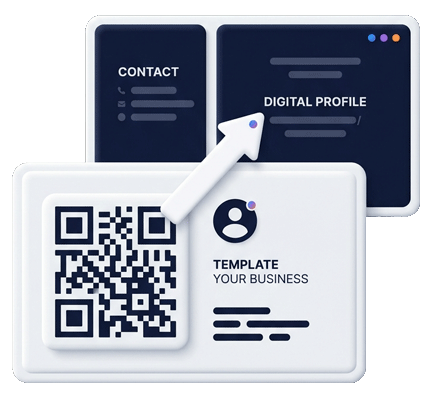
A business card QR code template connects a small printed card to a bigger digital experience. Instead of trying to fit every phone number, link, service, portfolio item, map, social profile, review request, and payment link on a card, use a clear QR code that opens a digital business card, vCard QR code, business profile page, contact form, map, or portfolio.
Alex Morgan
Brand Consultant
Scan to save contact, view portfolio and book a call.
 alex.contactportfolio.com
Printed card strategy
A QR business card should stay simple and send people somewhere useful
The business card is the trigger. The digital page is where the relationship continues.
Open a mobile contact page
Use the QR code to open a digital business card or vCard QR code that helps people call, email, message, visit your website, open your portfolio, request a quote, or save your contact details.
Keep the printed card current
If the QR code points to a managed Contact Portfolio page, you can update contact details, links, offers, services, forms, maps, reviews and payment links without reprinting every business card.
Use any printer or design tool
Contact Portfolio does not sell physical cards. You can export the QR asset, add it to your own layout, work with a designer, use an online printer, or print locally.
What to include on a business card with QR code
A printed business card has limited space, so the QR code should reduce clutter instead of adding confusion. Keep the card clean: name, role, brand, one primary contact method, and a short scan instruction. The QR code can carry the rest: digital business card, online business profile, portfolio, vCard contact details, booking form, Google review link, map directions, social links and payment links.
The best business card QR code template makes the scan feel intentional. Instead of placing a bare QR code with no explanation, add copy such as “Scan to save my contact,” “Scan for portfolio,” “Scan to book a call,” or “Scan for business profile.” This improves trust and helps users know what will happen before they open their camera.
Connect print networking to measurable digital actions
When someone scans your card, they should land on a mobile page that continues the conversation. A consultant may need a portfolio and booking link. A restaurant owner may link to a business profile and QR menu. A real estate agent may link to listings, contact details and map directions. A sales team may use consistent digital business cards for every team member. This is why the QR code business card should be part of a larger Contact Portfolio system.
Card QR checklist
- Keep enough white space around the QR code.
- Use a short instruction beside the code.
- Link to a mobile-first destination.
- Include the brand name or URL for trust.
- Test the code before sending to print.
- Use a destination you can update later.
Related digital card and print pages
Use this template page for print layout intent, then connect to the broader QR business card and digital contact sharing cluster.
Card scan path
Choose the best QR destination for the printed card
The card should stay clean, but the QR destination can change based on how the card is used.
| Business card use | Best scan promise | Best destination |
|---|---|---|
| Networking event | Scan to save my contact | vCard QR Code |
| Sales or consulting | Scan to view services and book a call | Business Profile Page |
| Portfolio or creator card | Scan to view work and contact me | Mini Website |
| Restaurant or local business | Scan for menu, directions or reviews | QR Code Menu |
Turn every scan into a saved contact, profile visit or follow-up action
Use one digital business card workflow for contact sharing, vCard-style save actions, printed QR cards, team profiles and QR destinations that can change after printing.
Connect your printed card to a digital profile that can grow.
Create a QR business card destination for contact saves, portfolios, services, maps, reviews, forms and payment links.