Create Business QR Codes for Your Brand
Use QR codes to connect business cards, signs, menus, reviews, payments, maps, forms, websites, and campaigns to mobile pages that explain what customers should do next. Contact Portfolio helps every scan land on a useful business destination instead of a generic homepage.
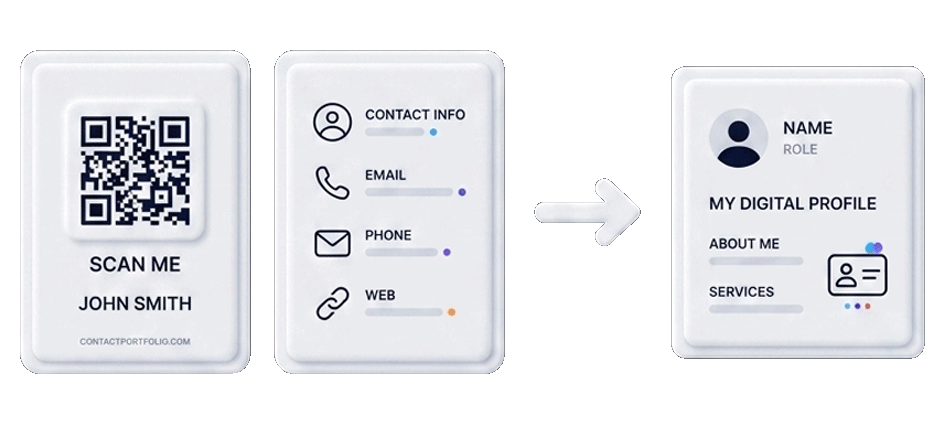
Business QR Solutions
Match each QR code to the customer moment
A QR code works best when the destination matches the place where it is scanned.
Business profile QR
Send visitors to services, contact details, opening hours, location, social links, and forms.
Review QR
Place a review QR code on receipts, counters, packaging, and thank-you cards.
Payment QR
Connect scans to PayPal, donation links, payment instructions, or scan-to-pay signs.
Menu QR
Restaurants and cafes can connect tables, counters, windows, and flyers to digital menus.
Printable QR assets
Use QR codes on flyers, posters, stickers, cards, table tents, and event materials.
Track useful actions
Measure scans, visits, clicks, contact actions, and form submissions from offline campaigns.
Choose the right QR destination
Before you download a QR code, decide what the scanner needs in that exact moment. A business card scan is different from a table sign scan, a receipt scan, or a storefront poster scan.
Business QR placement map
| Placement | Best destination | Related page |
|---|---|---|
| Business card | Contact profile | Digital card |
| Restaurant table | Digital menu | QR menu |
| Receipt or counter | Review request | Google review QR |
| Donation box | Payment link | Payment QR |
| Window poster | Offer or business page | Business profile |
Build a QR ecosystem instead of isolated codes
A single QR code can help, but connected QR destinations are stronger. A cafe may need a QR code menu, a Google review QR code, a PayPal payment QR code, and a printable sign. A consultant may need a digital business card, QR code business card, booking link, and portfolio page. A local store may need a business profile page, directions QR, product page, and seasonal campaign QR.
Common mistakes to avoid
Many QR campaigns fail because the code is visible but the destination is weak. Use these checks before printing.
- Sending every scan to a slow or generic homepage.
- Printing a QR code before testing it on mobile.
- Using unclear CTA text like “scan me” without context.
- Forgetting to add a review, map, payment, or contact action.
Connect every QR scan to a clear business action
Use Contact Portfolio to route scans to profiles, websites, forms, reviews, maps, menus, payment links and printable QR campaigns without forcing visitors through extra steps.
Create a QR code with a clear business purpose
Start with the customer action, build the destination, then print or share the QR code where it will be scanned.