Create a Google Review QR Code for Your Business
Turn satisfied customers into visible local trust. Build a branded Google review QR code flow for counters, receipts, table tents, appointment cards, packaging, invoices, and business profile pages without forcing customers through a confusing search.
Review us on Google
Scan after your visit, open the review path, and share your experience with future customers.
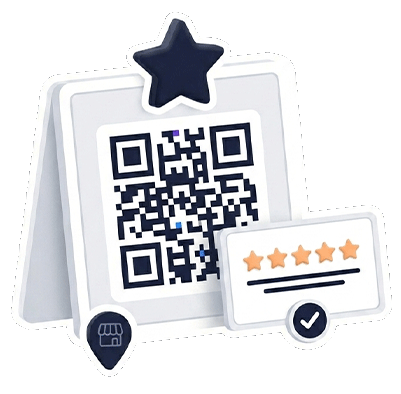
Review QR preview
Local business growth
Ask for the review when the customer experience is still fresh
A review QR code works best when it appears at the right touchpoint with the right message, not as a random QR square with no context.
Connect the review path
Add your Google review link, Google Business Profile link, or review-focused Contact Portfolio page.
Print the right prompt
Use review us QR code signs on counters, receipts, tables, packages, waiting rooms, invoices, or thank-you cards.
Support the next action
Add maps, contact buttons, forms, and service details so the page is useful even when the visitor needs help first.
Where a Google review QR code should appear
The best review requests are short, visible, and tied to a real customer moment. A restaurant can place a review QR on a table tent or receipt. A salon can use a mirror sign or checkout card. A clinic can add it to appointment follow-up material. A service business can include it on invoices or thank-you cards.
Best review QR placements
- Restaurant tables, cafe counters, takeaway bags, and receipt cards.
- Clinic waiting rooms, appointment cards, and post-visit instructions.
- Salon mirrors, checkout desks, packaging, and loyalty cards.
- Service invoices, delivery notes, thank-you cards, and event booths.
- Business profile pages, email signatures, and printed QR posters.
Review QR action map
Match the QR sign to the review moment
| Business moment | Best QR message | Best destination | Related page |
|---|---|---|---|
| After a meal or cafe visit | “Enjoyed your visit? Review us.” | Google review link plus menu and location links | QR code menu |
| After a local service | “Tell others about your experience.” | Review page with phone, form, and business profile | Business profile page |
| At checkout or reception | “Scan to review us on Google.” | Google Business Profile review action | Review us QR sign |
| For visitors who need directions first | “Find us or review your visit.” | Maps, opening hours, contact, and review links | Google Maps QR code |
Do not send every scan directly to a review form
Some customers are ready to leave a public review immediately. Others need directions, support, a phone number, or a feedback form first. A branded review page gives you a safer customer path: ask for the review, but also offer contact and support options when the visitor needs them.
Help customers find you, review you and trust the next step
Use review, map and local-business QR workflows to turn offline visits into Google reviews, directions, feedback, calls and business profile visits.
Create a review QR code customers understand.
Build a branded review path, connect it to Google reviews and Maps, then print a review us QR sign for the right customer moment.