Create a Scan to Pay QR Code Sign for PayPal and Payment Links
A scan to pay sign gives customers a simple way to open a payment link, PayPal page, donation page, order form, invoice page, or checkout instruction from a printed QR code. Contact Portfolio helps you create branded payment QR destinations and print-ready scan to pay signs for counters, tables, invoices, event booths, service desks, menus, donation boxes, delivery inserts, and appointment checkout points.
Scan to Pay
Use PayPal, donation, invoice or external checkout links.
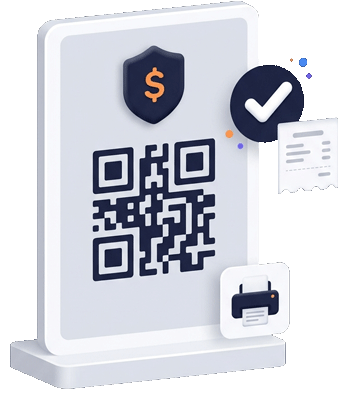
Print-ready QR payment sign
Printable Payment QR Signs
Make payment links visible where customers are ready to act
Payment QR signs work best when they explain what the customer is paying for and where the QR code will take them.
PayPal scan to pay
Connect a PayPal payment link or PayPal.me link to a QR destination so customers can scan from a counter, invoice, receipt, event table, or service desk.
Donation QR signs
Use scan to donate signs for nonprofits, creators, community events, fundraising tables, tip jars, churches, artists, and local campaigns.
Invoice and service payments
Place payment QR codes on invoices, appointment cards, repair estimates, delivery notes, service reports, and printed receipts.
Restaurant and cafe payments
Use scan to pay QR signs near menus, tables, counters, takeaway packaging, food truck windows, hotel folders, or event food stands.
Branded trust context
Send customers to a branded page that explains the payment purpose before they continue to PayPal or another external payment provider.
Download and print
Use printable QR sign templates for counters, posters, table tents, cards, packaging, flyers, event displays, and checkout instructions.
Why scan to pay signs need more than a bare QR code
Payment QR codes are sensitive because customers want to know what will happen after they scan. A bare QR code with no context can reduce trust. A strong scan to pay sign should include a clear headline, the business name, payment reason, short instruction, and a recognizable brand design. The customer should understand whether they are opening PayPal, a donation page, an invoice, an order link, or another external payment page.
Search terms like scan to pay QR code, scan to pay sign, payment QR code, PayPal payment QR code, QR code payment link, printable payment QR code, and scan to pay poster are commercial because the user usually needs a practical payment workflow. Contact Portfolio helps businesses create the QR destination and printable sign assets, while the payment itself is handled by the selected provider such as PayPal or another payment page.
Where to place scan to pay signs
- Checkout counters, table tents and reception desks.
- Invoices, estimate sheets, appointment cards and receipts.
- Event booths, market stalls, donation tables and creator merch displays.
- Restaurant menus, food truck windows and takeaway packaging.
- Service desks, repair counters, delivery notes and customer handouts.
Use a payment QR page when trust matters
For some use cases, the QR code can open the payment provider directly. For many businesses, a branded payment QR page is better. The page can explain the payment, show the business name, include a contact option, add a receipt or invoice note, and then send the customer to PayPal or another payment link. This is especially helpful for donations, service invoices, event payments, deposits, table payments, or situations where the customer needs context before paying.
This page connects tightly to the broader PayPal QR Code and Payment QR Code Generator pages. The generator page explains the overall payment QR strategy, the PayPal page focuses on PayPal-specific intent, and this scan to pay sign page focuses on printable offline placement.
Payment moment map
Match the scan to pay sign to the payment moment
Use different payment QR signs for different real-world moments so the customer understands the price context before scanning.
| Payment moment | Best QR destination | Related page |
|---|---|---|
| Counter checkout | A short payment page that explains the item, amount range or service before opening PayPal. | PayPal QR Code |
| Invoice or estimate | A branded payment link with contact details, invoice note and support option. | Payment QR Generator |
| Donation table | A donation page that explains the cause, campaign or creator before sending the visitor to payment. | Business Profile Page |
| Restaurant table or food truck | A scan-to-pay sign connected to menu, order notes, payment and review follow-up. | QR Code Menu |
Make scan-to-pay moments clearer before customers leave the page
Present PayPal, donation and payment-link QR codes inside a branded customer path so people know what they are paying for before they tap through.
Turn payment links into printable scan-to-pay signs.
Create a branded QR destination, connect the right payment action and use it on counters, invoices, table tents, receipts or event displays.