QR Code Poster Template for Business Campaigns
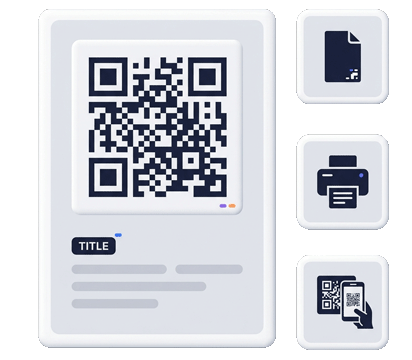
Create a QR code poster template that gives customers a clear reason to scan. Use posters, flyers, window signs, counter cards, event displays, table notices, packaging inserts, and reception signs to connect offline attention to a digital business card, QR menu, payment link, review page, map, form, or business profile page.
Scan for Today’s Offer
Open the campaign page, menu, payment link or review request instantly.
 contactportfolio.com
Poster strategy
A good QR poster explains the scan before the camera opens
When a QR code appears on a poster, people need to know what they get. The headline, supporting copy and destination all work together.
Campaign posters
Use QR code posters for promotions, events, launches, open houses, limited offers, seasonal menus, service campaigns, or lead capture pages. The QR destination should be focused on one action, not a generic homepage.
Local business signs
Place QR posters near windows, counters, reception areas, waiting rooms, community boards, booths and point of sale areas. Connect scans to directions, reviews, business profiles, booking forms or contact pages.
Menu and table displays
Restaurants, cafes, bakeries and food trucks can use poster and table QR templates to guide customers to a QR code menu, specials page, catering form, review request or payment link.
Build the poster around the action, not the code
A QR code poster is not successful because the code is large. It is successful when the message, placement and mobile destination match the user’s intent. A “Scan for menu” sign belongs at the table or window. A “Review us” sign belongs at checkout, near a receipt, or after service. A “Scan to pay” sign belongs near the payment moment. A “Save my contact” poster belongs at a booth, event or office.
Contact Portfolio lets you create the digital layer behind these printed assets. You can send scans to business profile pages, digital business cards, QR code menus, PayPal payment links, Google review QR pages, forms, map directions and campaign pages. This is more useful than creating a static QR image because the online destination can be structured, branded and updated.
Use poster templates for long-tail searches and real business needs
Searches like QR code poster template, printable QR poster, QR code sign template, scan me QR code template and QR code flyer template usually come from people preparing a real offline campaign. They need advice about message hierarchy, scan distance, mobile destination, print context and call to action. This page supports that practical intent while linking to deeper pages for review signs, payment signs and business card QR templates.
Poster content checklist
- One clear headline: Scan for menu, pay, review, directions, contact or offer.
- Short explanation that builds trust before the scan.
- Scannable QR size for the expected distance.
- Brand name, logo or URL near the QR code.
- Mobile page that matches the promise on the poster.
- Simple next step after the scan.
Related QR print pages
Start with a poster template when you need a visible offline campaign, then connect related pages for signs, cards, reviews and smart QR destinations.
Poster planning
Match the QR poster template to one campaign goal
A strong poster does not try to promote everything. It gives one promise, one scan and one mobile destination.
| Poster goal | Best headline | Best destination |
|---|---|---|
| Menu access | Scan for menu | QR Code Menu |
| Customer reviews | Review us on Google | Review Us QR Sign |
| Payment or donation | Scan to pay | Scan to Pay Sign |
| Networking or event booth | Scan to save contact | Digital Business Card |
Use QR signs, posters and templates without locking yourself into one printed message
Create QR assets for menus, payment prompts, review requests, contact pages and business cards while keeping the online destination easier to update.
Create a QR poster that explains the scan before people open their camera.
Build a poster destination for menus, reviews, payments, directions, offers or contact sharing, then print the design wherever the action happens.